
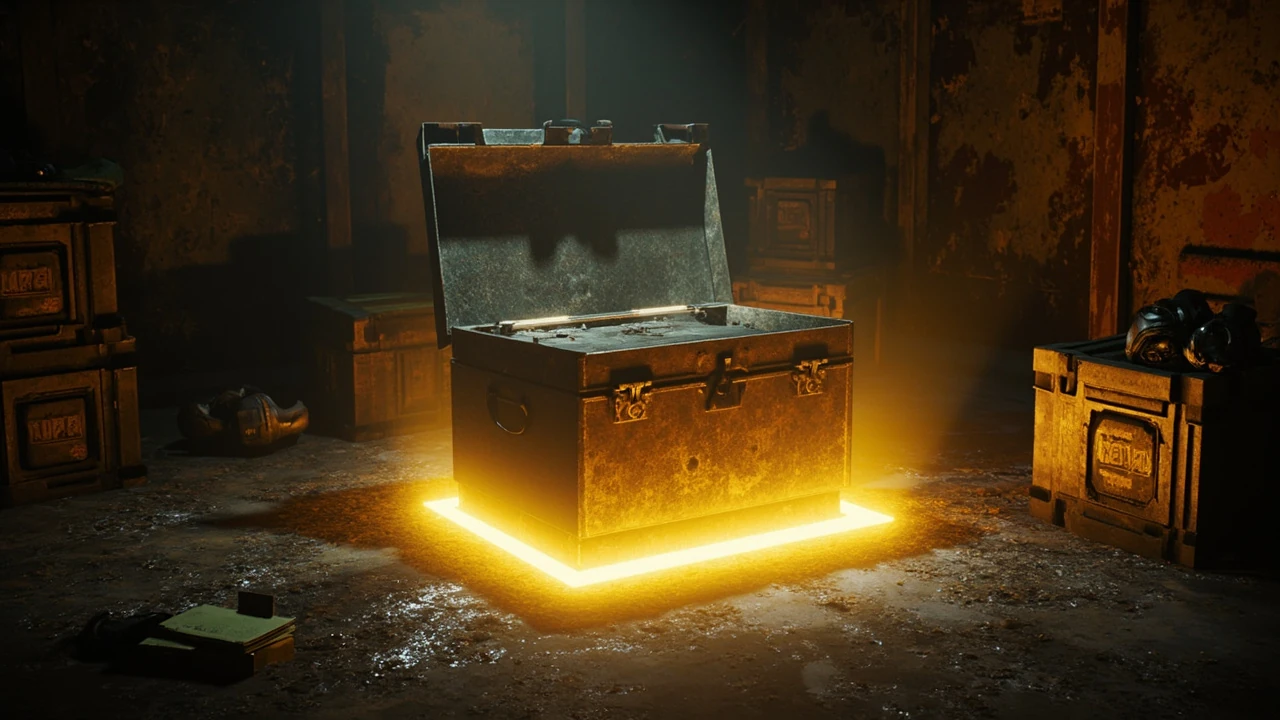
Borderlands 4 golden keys: what they are and how the system works
Golden keys in Borderlands 4 are single-use items that open a special locked chest in a major town hub. Each key trades for a small number of randomized items pulled from a curated loot pool, and the chest itself stays useful for the entire playthrough because its drop tier scales with your character level. The system is a holdover from Borderlands 2, where Gearbox Software first used the SHiFT code campaign to distribute keys and seed excitement around the launch window, and the idea has carried forward because it lets developers hand out a taste of higher-tier gear without giving away specific items that could break the economy of a fresh save.
For players, the appeal is simple: a guaranteed chance at rare or epic gear from a chest that requires no farming route, no boss kill, and no reliance on random world drops. For developers and producers on similar projects, the system is also worth studying as a player-retention tool. A golden key is essentially a digital coupon that converts marketing effort, community engagement, or loyalty into a measurable in-game moment, and the cost of distributing one is far lower than the perceived value of a guaranteed legendary. The design lesson, and the question this article focuses on, is when to spend a key, when to hold it, and how to interpret what comes out.
This page treats golden keys as a player-facing mechanic with production-relevant design context. If you are looking for a generic gift code list, a leaked database, or a way to bypass the intended redemption flow, this article will not help. The goal here is to explain the system clearly so that a Vault Hunter can spend each key on a slot where the result is worth the trade, and so that a developer reading along can see how a small, curated loot sink can be integrated into a long-running live game without breaking progression.
How Borderlands 4 golden keys fit into the broader loot system
Borderlands games live and die by the moment a purple beam erupts from a defeated enemy, a vending machine, or a chest. The franchise has always leaned on random number generation layered on top of a tiered drop system, and golden keys sit on a specific rung of that ladder. They are not the most powerful reward in the game, but they are among the most reliable, and that reliability is what makes them worth planning around.
Loot tiers and where keys rank
The base loot tiers that drive most of the Borderlands economy are familiar to long-time players. White items are common and exist mainly to be sold or scrapped for parts. Green items add a small, named bonus. Blue items are the practical workhorses of early playthroughs. Purple epics change build decisions. Orange legendaries define the late game. Golden key drops pull from a curated subset of this system, and the exact rank of what you can pull is tied to the level of the character who opens the chest rather than the level of the world or the difficulty setting.
Because the chest scales with the opening character, a key held from the tutorial can still produce a relevant item at level 40. That scaling is the single most important behavior to understand, because it means a key is never wasted simply because you opened the game late or played through a long prologue. What matters is the level of the Vault Hunter who walks up to the chest at the moment of redemption.
How keys differ from SHiFT codes and event rewards
SHiFT codes are short alphanumeric strings that Gearbox historically distributed through social media, email opt-ins, partnerships, and seasonal events. Each code is tied to a platform and an account, and it usually unlocks a fixed bundle of cosmetic items, a small amount of in-game currency, or a stack of golden keys. Event rewards, by contrast, are earned by completing an in-game challenge, attending a community event, or logging in during a specific window. The golden key is a unifying reward layer: a single item that the developers can hand out through any of these channels without needing a new system each time.
For Borderlands 4, the practical implication is that any future code you see is more likely to deliver a key than a unique weapon. Unique weapons tied to specific events still exist, but the marketing team usually reserves those for collaborations, while golden keys remain the default currency of community engagement. Treat the key as the unit of value and the chest as the conversion point.
Where to find the golden chest in Borderlands 4
The golden chest is anchored to a major hub so that every player can reach it without long detours. The exact hub has shifted slightly between entries, but the pattern is consistent: a clearly marked NPC or kiosk in the central safe zone, often near a fast-travel station or a vendor row, with a visual that telegraphs the chest as something special. The chest is not hidden, and it is not gated behind a side quest. It is designed to be obvious so that new players notice it the first time they enter the hub.
When you approach the chest, an interaction prompt appears with the current count of golden keys in your inventory. If the count reads zero, the chest still opens but dispenses nothing, which is intentional: the system avoids locking the chest behind a hidden flag and keeps the UI consistent for every player. Holding a key but not having one in your active character’s inventory is the most common reason new players see a zero reading, because keys are account-bound but redeemed character by character.
Quick checklist before you redeem a key
Before opening the chest, it is worth running through a short list of preconditions. Skipping this step is the easiest way to waste a key on a slot that does not benefit your build.
- Confirm the active character is the one you want to gear, since the chest draws for the opener only.
- Open the character screen and check your average item level, because the chest scales to the highest level you have reached on that character.
- Identify the slot you most need to upgrade, such as a shield, a class mod, or a specific weapon type.
- Check your backpack for the same slot to see what you are likely to replace, because the chest does not respect your current gear.
- Make sure the game has fully saved since your last level-up, so the chest’s internal level reference matches the value you see on screen.
How to get Borderlands 4 golden keys
There is no in-game vendor that sells golden keys for cash or for in-game currency. They are distributed through external channels, and the catalog of channels has expanded with each entry. Some are repeatable and predictable. Others are one-shot events that require you to be online during a specific window. Understanding which is which helps you plan around the limited supply.
SHiFT codes and account rewards
SHiFT codes remain the most common distribution channel. Codes are usually five groups of five alphanumeric characters, separated by hyphens, and they are case-insensitive. The redemption flow always ends at a confirmation screen that lists exactly what you received, including the count of golden keys if any were included. Borderlands 4 continues the franchise’s pattern of tying codes to a platform and an account rather than to a single character, so a code redeemed on PlayStation is separate from the same code redeemed on Xbox, but the items flow into the same shared reward pool on the platform once the account is linked.
The reliability of SHiFT codes is high because they are an established system, but the cadence of new codes has slowed across the industry as marketing budgets shift toward streaming drops and in-game events. Expect codes to land at launch, around major content updates, during seasonal events, and as part of promotional partnerships. Do not expect a code every week, and do not trust any third-party site that claims to generate working codes; the only real codes come from official Gearbox, 2K, and partner channels.
Pre-order and edition rewards
Bundled keys are a long-standing part of the franchise’s edition strategy. A standard edition might include one or two keys, while a higher tier might include a larger stack, a unique cosmetic, and a special weapon skin. These keys are usually delivered as a SHiFT code inside the box or in the digital receipt, and they expire on a long but real timeline. If you buy a special edition and forget to redeem, the code will eventually become invalid, and the publisher will not reissue a replacement in most cases.
For collectors and players who buy multiple platforms, the publisher has historically allowed the same code to be redeemed across linked accounts on different platforms, but the exact rules depend on the marketing copy printed on the box or the email. When in doubt, redeem early, redeem on your primary platform first, and keep the email or the insert until you see the items in your in-game mailbox.
Community events and seasonal rewards
Seasonal events are the most variable channel. Some events are simple login rewards that give a key on a fixed day during a multi-week window. Others are tied to a community goal, such as a global kill count, where the entire player base has to reach a threshold before keys are distributed. Twitch drops during a partnered stream are another common route, and these usually require a linked account on the streaming platform and a minimum watch time. The defining trait of all of these is that the distribution is asynchronous, so you do not have to be in the game at the exact moment the reward unlocks.
The production-side lesson is worth noting. A community event is a cheap way to drive daily active users during a content lull, and golden keys are a low-risk reward because they are bounded by the chest’s curated pool. The vault cannot hand out a weapon so strong that it breaks the next raid, and it cannot hand out so little that a player feels cheated because every key guarantees at least one item of the chest’s current tier. That balance is the reason the system survives across entries.
Cross-promotions and partner channels
From time to time, Gearbox and 2K partner with external brands, hardware manufacturers, or other publishers to distribute keys through a shared account system. A common pattern is a bonus stack of keys when you link a streaming account, an energy drink promo, or a peripheral launch. These campaigns are time-limited, the eligibility rules are strict, and the redemption almost always routes through a SHiFT-style linked account. If you see a banner for a promotion, check the fine print for the platform, the region, and the date window before assuming the offer applies to you.
When to redeem a golden key for the best return
The chest’s level scaling gives you a lot of flexibility, but it does not solve the harder question of timing. Spend a key too early and you outgrow the gear. Spend it too late and you have saved it for nothing. The practical answer depends on the build you want, the other items you have, and how much time you are willing to grind if the chest hands you something mediocre.
Use a key when a slot is the weakest link
Open the chest when at least one of your equipped items is dragging the build down. A fresh Vault Hunter at level 12 with a level 8 shield will feel the gap in every fight. The chest will hand back a shield scaled to your level, which often solves the immediate problem and lets you push into the next area without dying repeatedly. This is the textbook use case: convert a key into a small, focused upgrade that removes a bottleneck.
Avoid using a key the moment you enter a new town out of curiosity. The novelty wears off quickly when you realize the item is appropriate for the level you already passed, and the chest’s value is tied to the level at redemption, not the level when you got the key. Patience is part of the deal.
Hold keys until you hit a build-defining level
There are natural breakpoints in every Borderlands game where a specific slot, such as a class mod, a high-capacity shield, or a particular weapon type, becomes meaningful. These are usually tied to skill ranks that unlock at the 20s, 30s, and 40s. Holding a key until you cross one of these thresholds means the item you pull is more likely to interact with the build you are actually running, rather than a build you abandoned two acts ago.
The tradeoff is that you might miss an earlier opportunity for a clean shield upgrade. If your current shield is breaking every thirty seconds, the build-defining level argument loses weight. The decision is local, and the right answer is the one that makes the next hour of play more enjoyable, not the one that maximizes theoretical value.
Avoid opening on a fully loaded inventory
The chest will hand you a small number of items, often two or three, and you need room to receive them. If your backpack is full, the game will usually auto-store the new items in the bank, but the bank has its own cap, and you may not see the result until you are far from the chest. Clear a few slots before you spend a key so you can see the result, compare it to what you already have, and decide on the spot whether to equip, store, or salvage.
Understanding what the chest can and cannot give you
The chest is curated, not freeform. It draws from a subset of the loot table that the developers have chosen to expose, and that subset can change between patches. In some entries, the chest can hand out a legendary on every pull. In others, it caps at epic. The actual rule for Borderlands 4 should be confirmed in the in-game chest description, but the general principle holds: the chest is a safety net, not a lottery ticket, and the developers control the expected value.
What the chest guarantees
Every pull from the golden chest returns at least one item at the chest’s current tier. If the chest is set to drop epics at your level, you will not see a green item. The exact number of items per pull is small, usually between two and four depending on the entry, and the items are spread across distinct slots so that one pull will not give you three shields and a grenade mod. The distribution is random within those constraints, but the floor is fixed.
What the chest excludes
The chest typically excludes mission-locked items, items tied to a specific boss, and items gated behind a paid DLC. It also excludes character-locked cosmetics because the chest is a loot source, not a wardrobe source. If a slot is a key part of your build because of a unique effect, the chest is not the place to look for it; you need the relevant boss farm or quest reward. The chest is best understood as a wide-but-shallow source rather than a deep-and-narrow one.
| Attribute | Golden key chest | Standard world drop | Specific boss farm |
|---|---|---|---|
| Drop tier | Matches opener level, capped by chest’s curated tier | Scales with world level and enemy type | Fixed tier defined by boss loot pool |
| Targeted items | Curated subset, no mission-locked or DLC-locked items | Anything in the world pool | One or two specific items with a drop rate |
| Time cost per attempt | Seconds, in town | Minutes to hours of farming | Minutes per run with variable drop rate |
| Level scaling | Yes, to the opening character | Yes, to the area level | Yes, to the highest unlocked level |
| Best use case | Filling a weak slot quickly | Filling out a build over time | Hunting a specific item to complete a build |
Step-by-step: redeeming a key in Borderlands 4
The redemption flow is intentionally short so that a new player can complete it on a controller without consulting a guide. The walkthrough below assumes you already have at least one golden key in your account. If you do not, the section on how to get Borderlands 4 golden keys covers the main channels.
Step 1: redeem the SHiFT code online
Open the official SHiFT website or the in-game code entry menu and type the code exactly as printed. Codes are case-insensitive but hyphen-sensitive, so include the hyphens in the right places. Confirm the platform, confirm the account, and submit. The site will return a success message that lists the contents of the reward, and the items will appear in your in-game mailbox the next time you log in on the linked platform.
Step 2: travel to the hub
Use the fast-travel station to move to the town with the golden chest. The chest is usually near the central waypoint, close to the vendor row and the mission board, and a small visual cue marks the area. Walk up to the chest and look for the interaction prompt.
Step 3: open the menu and confirm
The chest’s interaction prompt shows the current key count on the active character. Press the confirm button, accept the prompt to spend a key, and watch the chest animation. The game will dispense the items into your inventory or your bank if the backpack is full.
Step 4: inspect the drops
Open the inventory and compare the new items to your current gear. Read each part carefully: a shield’s capacity, a class mod’s skill boosts, a weapon’s manufacturer and damage type. Make a quick decision on each item, equip, store, or salvage, and move on. The chest has no pity timer and no daily reset, so you can spend another key immediately if you want to.
Step 5: save and resume
Open the menu, hit save, and return to whatever you were doing. The new items are now part of your save file, and the key counter has decremented by one. If you started the session with a small stack, you now have a clear picture of how many you have left and a plan for when to use the next one.
Common mistakes that waste a key
Wasting a key is not catastrophic because the chest always returns something at its current tier, but the disappointment of a flat pull is real. The mistakes below are the ones that come up most often in community discussions and in the design notes developers share about similar systems.
Opening on the wrong character
Keys are account-bound, but the chest draws for the active character. If you have a level 30 character and a level 5 character on the same account, opening the chest on the level 5 character produces level 5 gear. The fix is to switch characters before you walk up to the chest, which is easy to forget when you log in to check the mail and decide to spend a key on impulse.
Opening without room in the backpack
The chest will still dispense items, but if both the backpack and the bank are full, the game will either block the redemption or drop the items on the ground. Dropping the items on the ground is worse than it sounds because of the short despawn timer in town. Free a few slots before you spend a key.
Opening during the tutorial
The chest is available very early, which tempts new players to spend a key on the first visit. The chest will hand back level-appropriate items, but those items will be outclassed within a few hours. The early key is rarely wasted in absolute terms, but it is rarely optimal either. If you are new to the franchise, consider holding the first key until you have at least one full weapon slot and one full shield slot equipped.
Opening instead of fixing the build
A key is a slot fix, not a build fix. If your skills are misordered, your class mod does not match your playstyle, or your weapons are all the wrong element, the chest cannot help. Fix the build first, then spend a key on the weakest remaining slot. This is the same advice a producer would give on any loot system: rewards amplify a working build more than they rescue a broken one.
How the system looks from a developer’s perspective
Golden keys are a small but instructive piece of live-game design. They are cheap to distribute, easy to understand, and flexible enough to ride multiple marketing channels at once. The cost is mostly an itemization budget, because the chest’s drops have to be balanced so that a stream of free keys does not trivialize the loot grind. The benefit is a steady, low-risk way to keep players logging in during content droughts.
Design constraints
The chest’s loot pool has to be wide enough to feel rewarding on every pull but narrow enough to avoid handing out items that compete with paid DLC or endgame raid drops. Designers usually solve this by capping the chest at one tier below the current top tier, by excluding items with unique effects, and by limiting the count of items per pull. The key is also a one-shot per use, which keeps the supply scarce and prevents hoarding that would break the late-game economy.
Production and QA considerations
On the production side, every code, every event, and every edition has to be flagged in the live-game calendar so that the support team can field questions. QA has to verify that the chest scales correctly at the level cap, that the bank overflow path works, and that the redemption does not desync between the SHiFT service and the game client. These are mundane checks, but they are the reason a simple system can survive across four entries and several platform generations without major redesigns.
For studios building a similar system, the takeaway is that the value of a reward is not just the item it dispenses. It is the chain of decisions the reward enables: when to spend, when to hold, how to integrate with other systems, and how to communicate the rules to the player without breaking immersion. A well-designed golden key is a small piece of the larger retention loop.
Troubleshooting when a key does not seem to work
Most “the key is broken” reports fall into a small set of well-known causes. Work through the list below before you contact support, because the answer is almost always one of these.
The code redeemed but no key arrived
Check the in-game mailbox on the linked platform, not on the platform where you redeemed the code. The two are separate until the accounts are linked, and the code might have been redeemed on the wrong account. If the code is still listed as valid, you can re-enter it on the correct account; if it is marked as used, contact support with the original receipt.
The key count reads zero
Two common causes. First, the key is on a different character, so switch characters and check the mailbox. Second, the key is on a different platform, so check the linked accounts screen. If the key is genuinely missing, your only real option is to wait for the next event or to claim the next SHiFT code.
The chest dispenses low-tier items
This usually means the opening character is below the level you expected, or the game has not saved the latest level-up. Fast-travel to another hub, save, fast-travel back, and try again. If the items are still low, the chest might be in a reduced-tier mode during a special event, so check the active event description in the news tab.
The chest is greyed out
The chest becomes greyed out when the active character has no keys and the local event flag is inactive. Walk away, switch characters, and walk back. If the chest is still greyed out, the most likely cause is a server-side maintenance window, and the only fix is to wait for the service to come back online.
| Symptom | Most likely cause | First check |
|---|---|---|
| Code accepted but no key in inventory | Wrong platform or wrong account | Linked accounts and in-game mailbox on each platform |
| Chest shows zero keys | Key on different character or platform | Switch character, check mailbox on the linked account |
| Pull returns low-tier items | Character level lower than expected | Save and reload, verify level in character screen |
| Chest is greyed out | Server maintenance or no local event | Server status page, in-game news tab |
| Pull returns no items | Bank and backpack both full | Free inventory space and re-open the chest |
Frequently asked questions
Are Borderlands 4 golden keys the same as in Borderlands 3?
The core mechanic is the same: a single-use item that opens a chest in a major town and returns a small set of scaled items. The exact drop pool, the chest’s location, and the bundle content of any given SHiFT code differ between the two games. Treat each entry as a separate system and check the in-game chest description for the current rules.
Do golden keys carry over from earlier games?
No. Keys are tied to a specific title and to a specific account on a specific platform. A Borderlands 3 key will not appear in Borderlands 4, and a Borderlands: The Pre-Sequel key will not transfer to either. Redeem keys in the game they were issued for, and assume that older keys expire when that game’s live services wind down.
Can I buy golden keys with real money?
Generally, no. Keys are distributed through codes, events, and edition bundles, not through a direct cash purchase. The closest equivalent is a special edition that includes a stack of keys, but the transaction is for the edition, not for the keys themselves. If a site claims to sell keys directly, treat it as a scam and report it.
How many items does one key give?
One key usually dispenses two to four items, drawn from distinct slots so that one pull will not fill your inventory with three of the same type. The exact count is set by the chest’s design and can change between patches, so the in-game tooltip is the authoritative source.
Can the golden chest drop legendaries?
In most entries the chest can drop legendaries, but the rate is governed by the chest’s curated tier. The chance is real but not guaranteed, and the chest is not the intended farm for any specific legendary. For a targeted legendary, run the related boss or complete the related mission.
Do golden keys expire?
The keys themselves do not expire once they are in your inventory, but codes that have not been redeemed have a published expiration date. Redeem codes as soon as you can, and do not assume that an unredeemed code will work indefinitely. The publisher will not reissue expired codes in most cases.
Should I save keys for the endgame?
Only if your current build is functional without the chest and you are confident you will not need an early shield or class mod. The chest scales to your level, so a key spent in the late game is not categorically better than a key spent in the early game. The decision is about your current weakest slot, not about the calendar.
What happens if I redeem on the wrong character?
The items are bound to that character, and the key is consumed. There is no in-game way to transfer the items back to your main. If you accidentally spend a key on a low-level alt, the items will be appropriate for that alt’s level, and the only recovery is to level the alt or treat the pull as a small donation to a future playthrough.
Do golden keys work in co-op?
Yes. Any player in the session can walk up to the chest and spend a key from their own inventory. The chest is a personal interaction, not a shared one, so co-op partners do not see your drops and cannot spend your keys. The only caveat is that the chest draws for the character who opened it, so co-op does not change the scaling rule.
Where can I find valid SHiFT codes right now?
The official Gearbox and 2K social channels, the in-game news tab, and the SHiFT code entry page are the only trustworthy sources. Treat any third-party site that lists active codes as unverified, and never enter a code from a source you do not trust. If a code looks too generous, it is almost certainly fake or expired.
Borderlands 4 golden keys are a small system, but they are a good case study in how a single reward can stretch across editions, events, and platforms without losing its purpose. Spend each one on the slot that is slowing your build down, redeem codes as soon as you can, and treat the chest as a reliable safety net rather than a primary path to the perfect loadout. The rest of the loot is still out there in the world, and the keys are the bridge that keeps you moving while you chase it.





Leave a Reply