
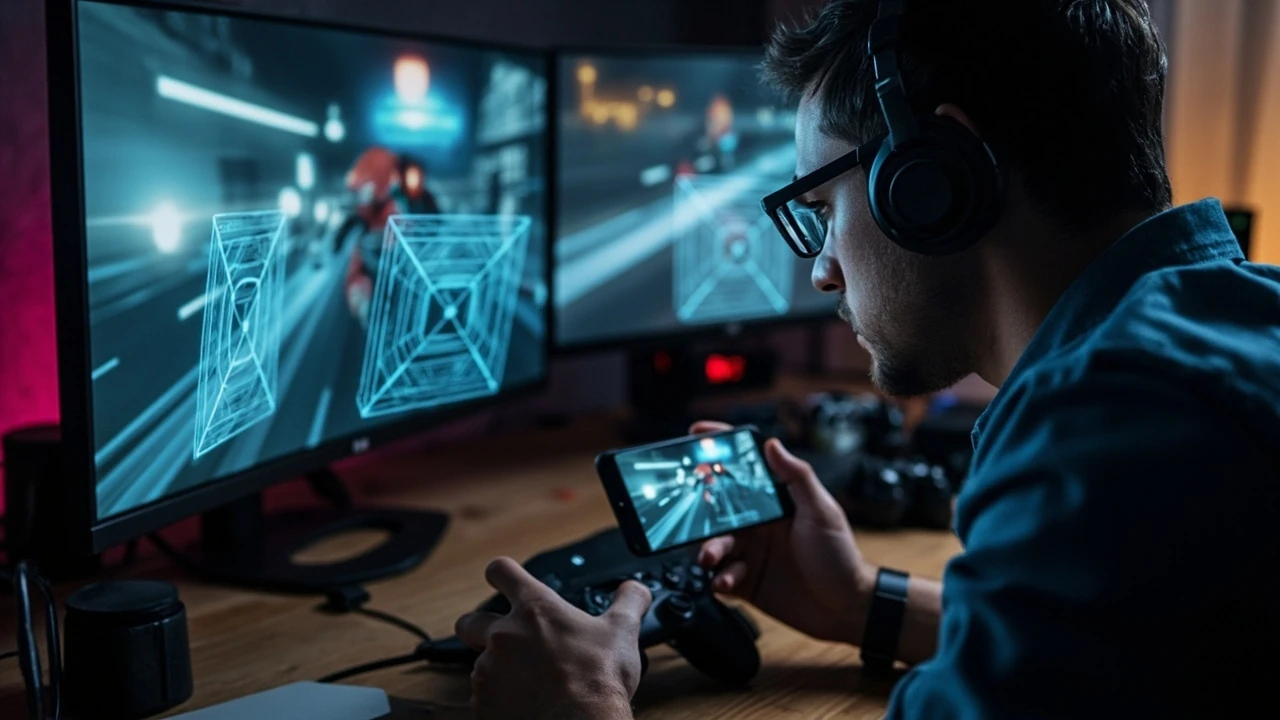
What is a video game port?
A video game port is an existing game adapted to run on a different platform, device, or technology while retaining the gameplay and quality expected on the new system. The change may involve moving a PC game to a console, adapting a console release to PC, or making a mobile game work in a browser.
Porting is more than compiling the same source code on another machine. Each destination introduces different hardware limits, input methods, operating systems, graphics APIs, storage rules, and player expectations. The porting team must translate those differences without making the game feel like an awkward adaptation.
This guide explains the porting process, major port types, common technical and design changes, and the work required to bring a finished game to another platform. It is intended for developers, producers, QA specialists, technical artists, and studio leads evaluating a port.
What changes when a game moves to another platform?
The original design remains, but the implementation must change. A useful port preserves the game’s rules, progression, character identity, and core feel while adapting the parts that depend on the source platform. A new control scheme, for example, cannot simply reproduce the old controller mapping if the resulting interaction is clumsy.
The central question is not whether the game can start on the target device. It is whether players can understand, control, and enjoy it there. A technically successful build that plays poorly still represents a failed port.
| Area | What the team evaluates | Typical porting response |
|---|---|---|
| Hardware and performance | CPU, GPU, memory, storage, thermal limits, and target frame rate | Adjust settings, assets, simulation, rendering, or code paths |
| Input | Controller, mouse and keyboard, touch, motion, or platform-specific controls | Rebind actions and revise camera or UI behavior where necessary |
| Display and UI | Resolution, aspect ratio, safe areas, font scaling, and menu navigation | Create responsive layouts and test readable interface elements |
| Platform integration | Accounts, saves, achievements, cloud features, input APIs, and store requirements | Implement platform services and verify their supported states |
| Content and distribution | Package size, install flow, ratings, localization, and platform policy | Produce a compliant build and prepare the release assets |
The table also shows why porting is a cross-discipline task. A programmer may solve an input delay problem, but a designer may need to preserve the intended interaction while a UI artist rebuilds menus for a television screen. The original game supplies the reference; the destination platform determines the constraints.
How does the game porting process work?
A port normally begins with an assessment of the source code, engine, build system, assets, and target requirements. The team then identifies the work required in gameplay, presentation, platform services, QA, and release. Implementation follows, but the acceptance criteria should exist before the first target build is treated as complete.
- Define the target and its requirements. Record the destination platform, hardware range, operating system versions, input methods, performance targets, certification rules, release format, and required platform features.
- Audit the source project. Check whether the engine and tools support the destination, how cleanly platform-specific code is separated, and whether assets, shaders, audio, and build scripts are available.
- Create the target build. Replace unsupported engine and platform layers, add the destination’s graphics, audio, input, and operating-system integrations, and establish a repeatable build pipeline.
- Adapt the player experience. Rebuild controls and navigation, adjust camera behavior, revise interface layouts, and change tutorial prompts where the original assumptions no longer apply.
- Tune performance and presentation. Measure the game on representative hardware, identify bottlenecks, and balance resolution, frame rate, memory use, visual effects, loading, and audio behavior.
- Validate platform services and content. Test saves, accounts, achievements, invitations, suspension, storage, updates, and other functions required by the target platform.
- Complete platform and release readiness. Work through certification, packaging, store materials, ratings, legal disclosures, entitlements, and submission requirements.
- Run regression and compatibility testing. Cover the intended device matrix, key gameplay paths, failure states, updates, and the differences between the port and the source release.
The order matters because a late platform requirement can invalidate earlier decisions. Discovering that the target requires a suspended save-state model after gameplay has been integrated can affect progression, save frequency, and UI messaging. Platform requirements should therefore shape the assessment rather than arrive as a final checklist.
A broader explanation of the process and costs involved in game porting can help teams compare the work with a full new release. The scale of the source project and the amount of platform adaptation determine whether a port is incremental or effectively a reimplementation.
What are the main types of video game ports?
The most useful classification is based on what changes. A platform port retains the game’s engine and gameplay but adapts it to a new device family. An engine port changes the underlying technology, while a technology or architecture port may require substantial reconstruction. Browser and instant-game ports introduce additional constraints around loading time, package size, and lower-end hardware.
| Port type | What stays similar | What usually requires new work | Primary risk |
|---|---|---|---|
| PC to console | Core gameplay, progression, art direction | Input, rendering, performance targets, platform services, packaging | Controls or performance fail to meet console expectations |
| Console to PC | Gameplay structure, narrative, visual identity | Native resolution support, settings, controls, compatibility, distribution | A weak hardware baseline or display adaptation harms consistency |
| PC or console to mobile | Recognizable game world and progression | Touch UI, performance, memory, downloads, session design | Over-complex interaction or sustained thermal and memory pressure |
| Mobile to web or instant | Core loop and selected content | Asset delivery, browser compatibility, load time, compressed rendering | Large downloads or poor performance on low-end devices |
| Engine-to-engine | Game behavior, content, and design intent | Rendering, animation, physics, tools, assets, and runtime systems | Subtle behavior changes and loss of platform-specific tooling |
| Legacy or custom-engine rebuild | Reference behavior, rules, assets, and content | Most runtime, editor, tooling, and build infrastructure | Missing knowledge makes parity difficult to prove |
These categories can overlap. A mobile game moving to a browser may retain the same engine but still require a new rendering and asset-delivery approach. Conversely, a legacy PC game without maintainable source code or tools may require reconstruction rather than a conventional port.
What must be redesigned during a port?
Not every problem is graphical. A port that renders the same images while destroying the game’s interaction quality is not faithful. The team should treat controls, camera, UI, tutorials, and performance as a connected system.
Controls and camera behavior
Mouse aiming, keyboard shortcuts, analog sticks, touch gestures, and motion controls produce different feedback loops. A camera tied to a mouse position may need an analog or shoulder-button model on a controller. A two-hand mobile layout may also require a one-hand variant if that fits the game’s core loop.
For a game that expects rapid aiming, the port should validate the complete action chain: detect input, interpret it, update the camera or aim state, communicate feedback, and register the result. Testing whether a button exists is not enough.
Interface and menu navigation
A PC menu can rely on a cursor, hover states, tooltips, and a mouse wheel. A console version needs clear focus states, predictable back behavior, readable text, and a navigation model that works without a pointer. Mobile layouts face safe-area, reachability, and text-scaling constraints.
- Support all required aspect ratios and safe areas.
- Keep menus legible at the target resolution and expected viewing distance.
- Provide controller focus, hover, and selection feedback.
- Test text scaling without clipped labels or hidden actions.
- Ensure confirmation and cancellation behavior matches platform expectations.
Tutorial and onboarding text
Tutorials often assume the controls of the original release. Instructions that mention a keyboard key, mouse button, or specific controller layout must be adapted. Prompts also need to remain accurate when the player uses an alternative input method.
Visual and performance adaptation
A target device may support a smaller memory budget, different graphics features, or less thermal headroom than the source system. Developers may change texture resolution, shadow quality, effects, level streaming, animation, physics, or simulation frequency. These changes should protect readability and responsiveness rather than merely reduce settings.
Performance work should begin with measurements on representative devices. The relevant question is whether frame pacing, input response, loading, memory stability, and thermal behavior remain acceptable under realistic play sessions.
What are the hardest parts of porting a game?
The hardest part is usually not adding a new platform label. It is preserving the intended experience while the project inherits constraints it was not designed around. The following failures are common because they cross code, content, design, and testing boundaries.
- Unavailable source knowledge. Custom tools, undocumented dependencies, hard-coded assumptions, and retired SDKs can make an apparently simple build difficult to reproduce.
- Engine and platform mismatch. An engine may compile for a destination while lacking complete support for its APIs, input, rendering, packaging, or certification needs.
- Performance variation. A build that performs well on one development device may fail under different hardware, sustained play, or a demanding scene.
- Control translation. A mechanical mapping can preserve buttons while changing the speed, precision, or comfort of the intended action.
- Platform-service edge cases. Save conflicts, network interruptions, account changes, suspended sessions, and entitlement errors may not appear in the main path.
- Store and policy requirements. Packaging, disclosures, privacy, ratings, support, and submission rules can require product and code changes late in production.
One useful diagnostic is to compare observable behavior, not screenshots. A screenshot may look correct while the camera lags, the UI input feels delayed, or a save fails after a network change. Port QA should therefore include sequences of interaction and failure recovery, not only visual inspection.
How do teams test a video game port?
A port needs a test matrix that represents the actual target environment. Testing only on the development machine is insufficient because the point of the port is to work under the destination’s hardware, operating system, store, and input conditions.
- Build a coverage matrix. List supported devices, operating systems, display modes, input methods, and relevant performance classes.
- Automate stable checks. Use repeatable smoke tests for launch, menus, progression, saves, and critical scene transitions where the project supports automation.
- Run exploratory gameplay tests. Examine interaction quality, camera behavior, difficulty, readability, and whether the target changes the player’s decisions.
- Test compatibility boundaries. Cover supported minimum and representative high-end configurations, along with supported OS and display variations.
- Exercise service failures. Simulate network loss, suspended sessions, interrupted updates, account changes, unavailable storage, and rejected permissions.
- Perform soak testing. Check memory growth, thermal behavior, loading changes, frame pacing, and stability during longer play sessions.
- Validate the release package. Test the exact build, configuration, and entitlement path intended for players rather than relying only on internal builds.
Parity also requires reference discipline. The source version can establish intended behavior, but it is not always the final authority when the target platform requires a deliberate change. Teams should record exceptions so testers can distinguish a known adaptation from an unintended regression.
How much work does a port require?
The amount of work depends on the source project, the destination, and the definition of “done.” A well-maintained game built with a multiplatform engine may need platform integration, tuning, testing, and certification. A legacy title based on unavailable tools can require most of its runtime and editor to be rebuilt.
| Factor | Lower effort | Higher effort |
|---|---|---|
| Source availability | Maintained source, documented tools, reproducible builds | Missing code, obsolete dependencies, uncertain behavior |
| Engine support | Target already supported and covered by existing abstractions | Rendering, input, or platform layers require substantial work |
| Hardware range | Narrow, well-understood target specification | Large range with significant performance differences |
| Platform features | No unusual service, entitlement, or certification requirements | Online, account, suspension, update, or policy complexity |
| Design changes | Original interaction model transfers cleanly | Core controls, camera, UI, or progression need redesign |
| Content scale | Small game with limited asset variety | Large world, many resolutions, heavy effects, or long playtime |
Cost cannot be estimated responsibly from the target platform alone. A credible estimate needs an audit of source availability, engine support, asset scale, required features, hardware targets, team composition, and the expected quality bar. The publisher should also decide whether the port must be a simultaneous release, a later update, or a backward-compatible edition, because each option changes the schedule and risk.
Should a team port an existing game or rebuild it?
Port when the existing project remains technically understandable, its engine supports the target, and the intended experience can survive adaptation. Rebuild when the source cannot be compiled reliably, essential tools are missing, dependencies cannot be maintained, or the port would require replacing most of the runtime anyway.
The decision should be evidence-based. A source repository by itself does not prove portability. Try a clean build, inspect warnings, run a representative level, and test the most platform-sensitive systems. If the team cannot establish what the source does or reproduce its current behavior, the project may be a reimplementation with reference materials rather than a port.
During planning, teams can also review the iOS game development services overview for adjacent mobile-platform concerns, and the Mayachin Shrine design analysis for an example of how a compact game mechanic can depend on precise player interaction.
What does a successful port deliver?
A successful port is a release-quality build that preserves the source game’s identity while meeting the destination platform’s technical and experiential requirements. It launches reliably, presents readable and responsive controls, maintains acceptable performance across the supported range, integrates required services correctly, and passes the applicable platform process.
The final acceptance review should cover three levels:
- Functional parity: required mechanics, progression, saves, settings, content, and platform features work as intended.
- Experiential parity: controls, camera, readability, audio, difficulty, and feedback preserve the quality of the source experience.
- Release readiness: the candidate package, compliance work, test evidence, store listing, support documentation, and update plan are complete for the chosen release model.
A port should not be declared complete because it compiles or because a limited internal build runs. The relevant test is whether a player on the target platform can play the game reliably, understand it without platform-specific friction, and encounter a consistent representation of the intended design.
Frequently asked questions
Is a video game port just a recompilation?
No. Recompilation is usually one early step. A complete port can require new platform APIs, input schemes, interface layouts, performance tuning, platform services, certification work, and regression testing. If most of the engine or runtime must be replaced, the project may resemble a rebuild rather than a straightforward port.
What is the difference between a port and a remaster?
A port primarily adapts an existing game to a new platform or device. A remaster generally updates the presentation, assets, technical foundation, or features while retaining the core game. A release can be both, but the labels describe different primary goals.
Is porting cheaper than developing a new game?
It can be, particularly when the source is well maintained and already supports the destination platform. Costs can rise sharply when tools are obsolete, source knowledge is missing, or the destination requires major interaction and performance changes. A project audit is needed before treating porting as the lower-cost option.
What is the difference between a platform port and an engine port?
A platform port keeps the game’s core technology while adapting it to a new operating environment, device, or store. An engine port changes the underlying engine and therefore touches rendering, tooling, assets, animation, physics, and runtime systems. The latter is usually more invasive.
Can a game be ported without its source code?
Not as a conventional code port. Without source code and usable tools, a team may need to reconstruct behavior from a build, design documents, and observation. That approach is closer to a remake or reimplementation and carries more risk of missing subtle rules.
How long does a video game port take?
There is no reliable universal duration. A small, well-prepared project with limited platform changes may move quickly, while a large game with obsolete dependencies, broad hardware support, and new platform services can take much longer. Schedule estimates should follow a source audit and a target-specific feature list.
Do console ports need certification?
Console releases generally require the platform holder’s technical and submission process before publication. The exact requirements apply to the platform and release type, so the team must use the current official documentation rather than assume that a successful internal build is ready for distribution.
What is the most common mistake during porting?
A common mistake is treating the destination as a compilation target instead of a new interaction environment. Teams reproduce the original mechanically but fail to adapt controls, UI, performance assumptions, or platform behavior. The result may run yet still feel wrong to players.
Should a port match the original exactly?
It should preserve the game’s intended rules, identity, and progression, but exact duplication is not always possible or desirable. Aspect ratios, input methods, performance limits, and platform conventions may require deliberate adaptations. The goal is a coherent target-platform experience, with every intentional exception documented and tested.
What should a team review before approving a port?
Approve the port only after checking the release candidate across supported hardware, core gameplay, input, saves, platform services, performance, stability, packaging, and the applicable platform requirements. The review should also include a list of known limitations and confirm that every intentional difference from the source has an owner and rationale.





Leave a Reply