
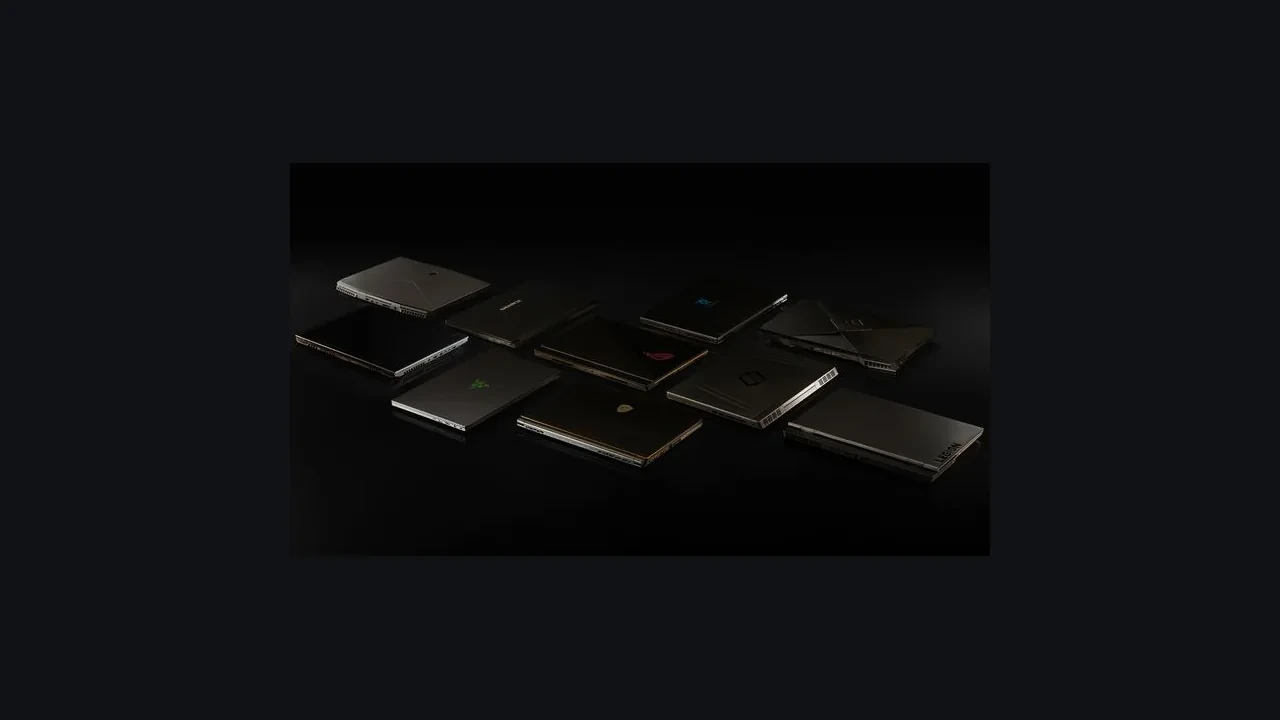
GeForce RTX 2070 Laptop GPU DLSS 5 compatibility: where the situation stands
No official DLSS 5 launch support has been announced for the GeForce RTX 2070 Laptop GPU, and future support remains unknown. Its latest supported feature set is DLSS 4.5 Super Resolution and Ray Reconstruction, delivered through the NGX runtime and driver path already used by the RTX 20 series.
That makes DLSS 4.5 the working ceiling for this mobile GPU. Saying it “supports” or “runs” DLSS 5 would go beyond the published evidence. If NVIDIA changes the support list, developers will need to validate the SDK, driver, menu gating, and laptop performance again.
What an absent support entry means
“No official DLSS 5 launch support” does not mean the driver permanently blocks the feature or that the GPU can never receive it. It describes NVIDIA’s launch matrix: the GPU, driver, and SDK combinations listed in release notes, NGX SDK headers, and NVIDIA Control Panel surfaces. An absent SKU cannot be marketed, certified, or signed off by QA as a DLSS 5 target. That boundary applies to packaging, store descriptions, and marketing matrices.
An internal engineering build can probe development SDKs on hardware outside the official matrix, and engines often hide newer NGX presets behind developer flags. That is useful research, not shipping support. Players cannot rely on it after a public patch, and a mobile GPU already has tighter thermal, clock, and VRAM limits than its desktop counterpart.
“Future support remains unknown” is the language NVIDIA uses to indicate that no commitment has been made either way. It does not mean a quiet backport is in progress, and it does not mean the SKU is excluded forever. It means the only safe public claim today is that DLSS 4.5 Super Resolution and Ray Reconstruction is the latest generation with official support on the GeForce RTX 2070 Laptop GPU, and that any DLSS 5 enablement would have to be re-verified against the SDK, driver, and Control Panel surfaces before it could be treated as a release dependency.
How Turing fits into later DLSS releases
DLSS is not one binary shared unchanged by every RTX GPU. Major releases bring new neural models, training data, and runtime entry points. The RTX 20 series introduced the first Tensor Cores and ran DLSS 1.x and 2.x. DLSS 3 added Frame Generation with new hardware and driver requirements. DLSS 4 and 4.5 expanded the model family and made Ray Reconstruction a first-class feature for path-traced games while retaining a path for the RTX 20 series.
DLSS 5 is positioned as a new generation that targets the newer RTX 40 and RTX 50 series hardware paths, with a heavier reliance on transformer-style architectures and a different feature surface. The RTX 20 series has not been listed on the launch-day support matrix for that release, which is why the GeForce RTX 2070 Laptop GPU sits in the “no official launch support” state described in NVIDIA’s compatibility documentation. The same is true for most other RTX 20 mobile parts, regardless of VRAM configuration or Max-Q variant.
NGX feature gating should therefore use the GPU generation and driver version reported at runtime, not a static list compiled into the game. Treating every RTX card as eligible for the newest preset invites a silent fallback on unsupported hardware. The RTX 2070 Laptop GPU is precisely the sort of part that exposes that mistake.
What DLSS 4.5 offers on the laptop GPU
DLSS 4.5 is the highest officially supported generation on the RTX 20 series. The RTX 2070 Laptop GPU gets the same Super Resolution upscaler and Ray Reconstruction denoiser as other RTX 20 mobile parts through the standard NGX SDK path used since DLSS 2.x. Ray Reconstruction requires a path-traced lighting model, while the newer 4.5 preset set adds another tuning step across per-title quality, performance, battery, and ultra-performance choices.
For a laptop GPU, the relevant quality modes are not identical to the desktop set. Sustained power limits and thermal envelopes shift the available headroom, and a mobile title is often tuned with a balanced preset that targets an internal quality target rather than a fixed upscale ratio. The GeForce RTX 2070 Laptop GPU has 8 GB of GDDR6 in the standard configuration, which is enough for 1080p internal rendering at Super Resolution quality and balanced modes in most current AAA titles, but starts to feel tight at 1440p internal or with very heavy path-traced lighting.
Ray Reconstruction is the more interesting addition for game developers. On a desktop RTX 2070, the gain from Ray Reconstruction is mostly about denoising quality under heavy path-traced lighting, with a small but measurable performance recovery compared to a hand-tuned spatial-temporal denoiser. On a mobile part, the same denoiser runs at lower sustained clocks, so the visual benefit is similar but the performance budget is tighter. A studio that targets the GeForce RTX 2070 Laptop GPU with Ray Reconstruction should still expose the older temporal denoiser as a fallback, both for certification safety and for players running on battery.
Detecting and gating the feature correctly
Query the device name, compute capability, and driver version, then read the NGX SDK feature table instead of hard-coding a generation constant. NVIDIA can extend or restrict support in a maintenance driver without an application rebuild; a static list can silently drift away from the runtime.
The following is an illustrative pattern, not a tested production API. Use the classes and method names from the NGX SDK version actually linked into the project.
- Query the device’s name and the SM compute capability through the engine’s RHI; for an RTX 2070 mobile part this resolves to the Turing compute capability family.
- Call the SDK’s feature enumeration for Super Resolution, Ray Reconstruction, and any newer generation, and store the result in a per-device capability struct.
- Use the capability struct to populate the in-game settings menu, and disable or hide options that the SDK reports as unsupported rather than letting the player select them and see a runtime fallback.
- Log the device name, driver version, and SDK version at boot so a support engineer can correlate a player report with the exact capability table that was in effect.
The GeForce RTX 20 series reference identifies the hardware family, while the NGX check controls the menu. On an RTX 2070 Laptop GPU, the preset list stops at DLSS 4.5. Players should not see a “DLSS 5” entry, and patch notes should not promise one until official support changes.
Desktop and laptop tuning are not interchangeable
The mobile RTX 2070 ships in at least two familiar TDP envelopes, with several OEM profiles between them. Sustained clocks can differ meaningfully across vendors and chassis even when the SKU name is identical. A game targeting “RTX 2070 Laptop” should therefore account for the slowest realistic envelope, not the quickest result from a marketing slide.
These are typical envelopes rather than measured guarantees, but they show why one preset cannot represent every chassis.
| Attribute | Desktop RTX 2070 (reference) | GeForce RTX 2070 Laptop GPU (Max-P) | GeForce RTX 2070 Laptop GPU (Max-Q) |
|---|---|---|---|
| Typical TDP envelope | ~175 W | ~115 W | ~80, 90 W |
| Sustained clock expectation | Higher, more stable under load | Moderate, thermals-bound | Lower, throttle-prone in thin chassis |
| VRAM | 8 GB GDDR6 | 8 GB GDDR6 | 8 GB GDDR6 |
| DLSS support ceiling (current) | DLSS 4.5 | DLSS 4.5 | DLSS 4.5 |
| Ray Reconstruction viability | Comfortable | Target with caution | Often not recommended as default |
The official support matrix does not distinguish TDP envelopes, so every column stops at DLSS 4.5. Ray Reconstruction viability does change with power and cooling because the denoiser costs more frame time on a constrained part. Enabling it by default on Max-Q favors image quality over sustained frame rate, which the settings menu and certification matrix should make clear.
DLSS 4.5 quality and performance limits
The laptop and desktop RTX 2070 run the same DLSS 4.5 model, but the mobile part’s lower sustained clock reduces its frame-rate envelope. Preset order does not change: Quality and Balanced retain the most source detail, Performance gives up more detail for frame time, and Ultra Performance belongs at very high output resolutions where the source is already sparse.
On battery, Balanced is the sensible default. Battery users are more likely to encounter stutter and less likely to run a calibrated profile, so a sustainable preset matters more than the highest visual setting.
The preset guidance compares the laptop GPU with the desktop RTX 2070. It omits FPS figures because the verified source record does not provide exact-model DLSS 4.5 measurements for this SKU.
| DLSS 4.5 preset | Typical use on RTX 2070 Laptop GPU | Same preset on desktop RTX 2070 |
|---|---|---|
| Quality | Safe default for 1080p output with moderate path tracing | Safe default for 1080p output |
| Balanced | Recommended default on battery; good compromise for most 1080p scenes | Good compromise for most 1080p scenes |
| Performance | Use when the scene is GPU-bound at 1080p native; preserves a usable headroom | Use for higher internal resolutions |
| Ultra Performance | Rarely recommended on this GPU; best reserved for very high internal resolutions | Reserved for 4K-class output |
The decision that the table encodes is that the preset list is the same on both desktop and mobile, but the threshold for switching to a more aggressive preset is much lower on a thermally constrained part. A studio that wants to ship a sensible default for the GeForce RTX 2070 Laptop GPU should treat Balanced as the production default and Quality as the recommended setting when the chassis is known to be well-cooled.
Wording a public support statement
Keep the public wording short and verifiable: “the GeForce RTX 2070 Laptop GPU is not officially supported by DLSS 5; the highest officially supported generation is DLSS 4.5 Super Resolution and Ray Reconstruction.” A studio can also say, “we are tracking the official NVIDIA support matrix and will update our engine integration if and when DLSS 5 support is announced for this GPU.” Add the game, engine version, and build number where needed.
Avoid wording that implies DLSS 5 is already available. “We are exploring DLSS 5 support” and “DLSS 5 is in our roadmap” both suggest a commitment the official matrix does not support. Describe the SDK version under integration instead of naming an unsupported marketing feature. That distinction matters in player-trust surveys and certification review.
A second habit worth forming is to keep a single internal document that maps every “DLSS X is supported on GPU Y” claim to the SDK version, the driver version, and the verification date. The GeForce RTX 2070 Laptop GPU is exactly the kind of SKU where a marketing slide from two years ago and a current SDK table disagree, and a producer who can produce that document on demand is one who can defend a public statement.
Advice for owners and technical learners
Owners should keep the NVIDIA driver and game client current, then avoid any third-party “DLSS unlocker” tool that promises a generation newer than the SDK supports. NVIDIA does not endorse those tools, they sit outside the support matrix, and they have caused stability regressions that are difficult to diagnose. The same warning applies across RTX 20 mobile parts.
For a technical learner who wants to understand the change as it happens, the most useful habit is to read the NGX SDK release notes line by line rather than relying on a summary article. The release notes are the only document that records, in order, which GPU families have been added to a feature’s support list, which have been deprecated, and which driver versions are required. A summary article that says “DLSS 5 is now available on RTX 40 and newer” is not the same evidence as the SDK header that lists the supported device IDs.
For an owner considering an upgrade, the RTX 2070 Laptop GPU is a Turing-era part outside the DLSS 5 launch matrix. A newer GPU generation is the most cost-effective route to that feature set; a software workaround is not equivalent. The purchase decision remains personal rather than a blanket recommendation.
Validating support in a shipping build
Use a representative build under the latest Game Ready Driver, exercise every DLSS preset, and log the SDK-reported feature availability for each menu entry. That gives the producer a sign-off matrix and the technical artist a defensible basis for defaults. Skipping this pass is how a confident public claim turns into a later correction.
This short checklist covers the checks most likely to survive a time-pressured QA pass.
- Verify that the current NGX SDK reports DLSS 4.5 as the highest available generation for the GeForce RTX 2070 Laptop GPU and that no higher generation appears in the enumeration.
- Confirm that the in-game settings menu hides or disables any preset that the SDK does not support, and that the disabled state is reflected in the localised strings.
- Capture a representative frame on Balanced and on Quality, at the internal resolution that the title targets on a 1080p laptop panel, and compare them against the same scene on a desktop RTX 2070 for reference.
- Repeat the same capture on battery, and record whether the preset the menu defaulted to remains stable across a 20-minute soak test.
- File a single tracking ticket per deviation from the expected behaviour, with the driver version, the SDK version, and the build number in the title.
If a studio wants to be more thorough, the same flow can be run against the latest Studio Driver as well as the Game Ready Driver. The two driver branches do not always expose the same NGX feature set, and a GeForce RTX 2070 Laptop GPU that ships inside a workstation chassis may end up on a different branch than one that ships inside a gaming chassis.
What a future Turing backport would require
For DLSS 5 to become a supported feature on a GeForce RTX 2070 Laptop GPU, several things would have to happen in a coordinated way. The NGX SDK would have to extend its feature table to include Turing-class mobile SKUs alongside the launch-day RTX 40 and RTX 50 series parts, the driver would have to expose the new entry points on Turing hardware, and the training pipeline would have to produce a model that is appropriate for the smaller Tensor Core throughput of the Turing generation. None of those steps is automatic, and each one is a non-trivial investment by NVIDIA in a hardware family that is several generations old.
Support matrices usually expand from newer hardware downward. Some features reach older GPUs in maintenance releases; others never do because the engineering cost outweighs the install base. The RTX 2070 Laptop GPU currently sits in the last group, with no announced plan to move it. Recheck that assumption every six months rather than every release cycle.
A useful discipline for a producer is to write the “what changes if DLSS 5 is added to the RTX 20 series” section of the design document before the feature is added, not after. That section can be a single paragraph: the SDK upgrade, the new preset default, the certification matrix update, the QA pass, and the public statement. Writing it early makes the eventual change a checklist instead of a fire drill.
Which compatibility sources carry weight
Two public sources answer different parts of the question. NVIDIA’s research page records the DLSS 5 launch and compatibility position. The English-language Wikipedia article on the RTX 20 series supplies architectural context for Turing’s place in the matrix. Check both before approving a public statement.
The NVIDIA DLSS 5 launch and compatibility page is where the official support status is recorded, and it is the source that overrides any third-party summary. The page is the canonical reference for what is and is not supported, and the support list on that page is the only list that should appear in a player-facing FAQ. A studio that wants to be precise about the current state should mirror the language on that page rather than paraphrasing it, because paraphrased language drifts over time and becomes a source of player confusion.
The RTX 20 series Wikipedia entry is useful background on first-generation Tensor Cores and the hardware behind the original DLSS path. It can orient a technical artist or junior programmer, but it cannot replace NVIDIA’s compatibility page when making a public claim.
Related production topics
The studio’s general game development services hub covers how teams scope and ship for a GPU family. Its game art design services guide is relevant to technical artists balancing presets against lighting and material budgets.
Both pages are useful for a producer or a technical artist who is reading the analysis as part of a larger scoping exercise. Neither is a substitute for the official NVIDIA compatibility documentation, and neither should be cited as evidence about the current support status of DLSS 5 on the GeForce RTX 2070 Laptop GPU.
Frequently asked questions
Does the GeForce RTX 2070 Laptop GPU support DLSS 5?
No official DLSS 5 launch support has been announced for the GeForce RTX 2070 Laptop GPU, and future support remains unknown. The highest generation with official support today is DLSS 4.5 Super Resolution and Ray Reconstruction, and that is the ceiling that an in-game settings menu should expose on this SKU.
What is the highest DLSS generation that a GeForce RTX 2070 Laptop GPU can run today?
The highest officially supported generation is DLSS 4.5, which includes both the Super Resolution upscaler and the Ray Reconstruction denoiser. Both run on the standard NGX SDK path that the RTX 20 series has used since the original DLSS 2.x release.
Is DLSS 5 a hardware-locked feature?
DLSS 5 is a new generation that is positioned for the newer RTX 40 and RTX 50 series hardware paths. The Turing generation that the GeForce RTX 2070 Laptop GPU belongs to is not on the launch-day support matrix. Whether a future maintenance release extends support to Turing hardware is an open question that only NVIDIA can answer.
Will my game show a DLSS 5 option on a GeForce RTX 2070 Laptop GPU?
Not if the game is gating the settings menu through the official NGX SDK feature table. A correctly gated build will stop the preset list at DLSS 4.5 on this SKU and will hide any higher entry. A build that exposes a DLSS 5 option on a Turing-class GPU is either using a non-public SDK or has a bug in the gating logic, and neither is something a player should rely on.
Can a developer use the DLSS 5 SDK on a GeForce RTX 2070 Laptop GPU during development?
Studios can integrate against newer SDKs for development purposes, and the SDK will report the per-device feature availability. What a studio cannot do is market, certify, or QA-sign the title as supporting DLSS 5 on this SKU until the official support status changes. The dev path and the release path are different paths, and the release path is what defines a public claim.
Does Ray Reconstruction work on a GeForce RTX 2070 Laptop GPU?
Yes. Ray Reconstruction is part of the DLSS 4.5 generation and is officially supported on the RTX 20 series, including the mobile variants. The caveat is that Ray Reconstruction costs frame time, and on a thermally constrained Max-Q chassis it may need to be paired with a less aggressive base resolution or a lower quality preset to stay within budget.
Will enabling DLSS 4.5 reduce the playable resolution of my game on this GPU?
DLSS 4.5 Super Resolution is an upscaler, so it does not reduce the output resolution the player sees. It does change the internal rendering resolution, which is the resolution the engine renders at before the upscaler runs. A Balanced preset renders at a lower internal resolution than a Quality preset, which is the trade-off the player is choosing in the settings menu.
Does driver version affect DLSS support on the GeForce RTX 2070 Laptop GPU?
Yes. The driver is the surface that exposes NGX features to applications, and a feature that is supported in the SDK but blocked at the driver level will not be available to the title. A studio that is debugging a missing preset should always start by checking the driver version against the SDK release notes, before assuming that the application logic is wrong.
Which DLSS preset should be the default on a GeForce RTX 2070 Laptop GPU?
Balanced is the most defensible default for a 1080p laptop panel, because it gives a usable headroom on the most common chassis without sacrificing visible source detail. Quality is a better default on a well-cooled Max-P chassis where the player is plugged in. Ultra Performance is rarely a sensible default on this SKU.
Where can I find the official DLSS 5 support list for the GeForce RTX 2070 Laptop GPU?
The canonical reference is the NVIDIA DLSS 5 launch and compatibility page, which is the only document that should be cited when a public claim is on the line. The NGX SDK release notes are the developer-facing counterpart, and a third-party summary should never replace either of those two sources.





Leave a Reply