
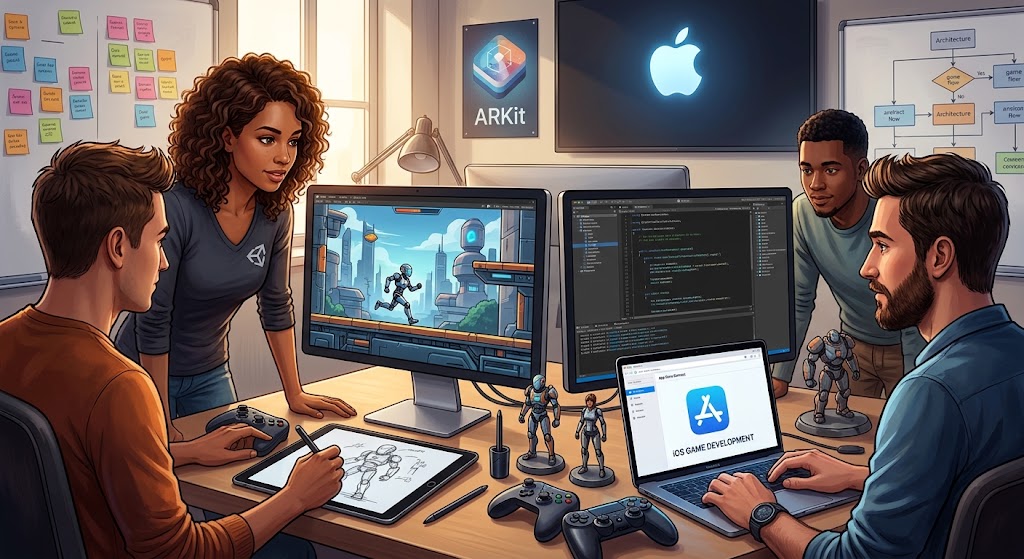
iOS Game Development Services and How They Work
Making a great mobile game requires real effort, technical skills, and creative vision. Millions of players download titles from the App Store every day. If you want your title to stand out, working with experienced professionals is essential.
iOS game development services cover everything from initial concept art to post-launch updates. They bring your creative vision to life while keeping technical performance high. Let us explore how these specialized teams help studios and brands succeed.
Building for Apple devices comes with unique advantages and specific challenges. You need clean code, solid physics, smooth animations, and strong monetization strategies. That is why having the right development team makes all the difference.
Understanding Professional iOS Game Development Services
When you partner with a studio, you get access to a full team of specialists. This includes game designers, 2D and 3D artists, gameplay programmers, quality assurance testers, and project managers. Each person plays a key role in building a polished product.
The process usually starts with discovery and conceptualization. Designers sketch initial ideas, draft core mechanics, and define the gameplay loop. Artists create character concepts, background assets, and user interface mockups. Programmers turn those concepts into working code.
So, why is this structured approach so crucial? Because building games without a clear roadmap leads to scope creep, missed deadlines, and bloated budgets. A professional pipeline keeps everything on schedule and within scope.
Here is what a standard development pipeline looks like:
- Concept Art and Pre-Production Planning
- Core Mechanics Prototyping and Gameplay Testing
- Asset Creation, UI/UX Design, and Sound Engineering
- Full Scale Programming and Engine Integration
- Quality Assurance, Optimization, and App Store Launch
Each phase builds upon the previous one. Testing happens constantly throughout the cycle to catch bugs early. This saves time and prevents major headaches right before launch day.
Besides technical execution, team coordination matters a lot. Good studios maintain transparent communication with regular sprint demos, progress reports, and milestone reviews. That way, you always know where your project stands.
Key Engines Used in iOS Game Development Services
Choosing the right game engine is one of the most important early decisions. Different engines offer different strengths depending on your project scope, graphical target, and target hardware.
Unity remains the most popular choice for mobile game creation. It handles both 2D and 3D games with exceptional ease. It also boasts a massive asset store and strong community support.
Unreal Engine power high-end, graphically intense titles. If you are building a photorealistic 3D game with complex lighting and visual effects, Unreal Engine offers incredible tools straight out of the box.
Apple also offers its own native frameworks like SpriteKit and SceneKit. SpriteKit excels at lightweight 2D games, while SceneKit handles simpler 3D projects. These native frameworks integrate seamlessly with Swift and Xcode.
Here is a comparison of popular game development engines for iOS:
| Engine Name | Primary Strengths | Best For | Supported Languages |
|---|---|---|---|
| Unity | Cross-platform flexibility, rich asset store, fast iteration | 2D and 3D mobile games of all sizes | C# |
| Unreal Engine | High-end graphics, advanced physics, visual scripting | Photorealistic 3D action titles and RPGs | C++, Blueprints |
| SpriteKit | Lightweight native integration, high efficiency, zero third-party cost | Casual 2D games targeting Apple hardware | Swift |
| Godot | Open source, lightweight, lightweight memory footprint | Indie 2D and light 3D games | GDScript, C# |
Selecting the right framework directly affects your project timeline and performance. Experienced engineers analyze your design document to recommend the best tech stack for your budget and performance targets.
Monetization Strategies for Mobile Games
Creating a fun game is only half the battle. You also need a sustainable business model to generate revenue and recover your investment. Fortunately, Apple offers various native monetization options through the App Store.
Free-to-play remains the dominant model in the mobile market today. Players download the game for free and buy optional digital goods inside the app. These can include cosmetic skins, virtual currency, speed-ups, or extra levels.
In-app advertising is another common approach. You can reward players with virtual currency or extra lives for watching short video ads. Interstitial ads and banner ads can also generate steady passive income.
Subscription models work well for games that offer continuous content updates, battle passes, or seasonal events. Players pay a recurring fee to maintain access to premium features or exclusive items.
Here are popular monetization mechanics used in modern titles:
- In-App Purchases for virtual items, cosmetic upgrades, and consumable boosts
- Rewarded Video Ads that grant players extra lives or double points
- Battle Passes offering seasonal progression rewards and tiered progression
- Subscription Tiers providing monthly rewards, daily gems, or ad-free play
- Premium Paid Downloads with single-time upfront pricing models
A balanced monetization system feels fair to non-paying players while providing genuine value to paying customers. Aggressive or predatory tactics hurt user retention and lead to negative reviews on the App Store.
Testing monetization mechanics early during soft launch helps fine-tune player lifetime value and conversion rates. Data analytics play a huge role in optimizing these revenue streams without ruining the fun.
Essential Tools and Frameworks for Apple Hardware
Developing specifically for iOS means leveraging Apple’s native hardware features. Apple devices offer high-performance chips, sharp Retina displays, precise haptic feedback, and advanced motion sensors.
Metal is Apple’s low-overhead graphics API. It gives developers direct access to the GPU, allowing maximum frame rates and stunning visual effects. Engine integration with Metal ensures smooth gameplay even during intense battle scenes.
Game Controller framework allows easy integration with external gamepads like Xbox, PlayStation, and MFi controllers. This is especially useful for action games, platformers, and racing titles that benefit from tactile controls.
Core Motion processes accelerometer and gyroscope data. It enables intuitive tilt controls for driving games or flight simulators. Apple ARKit unlocks augmented reality features, allowing virtual objects to interact with the real world.
Look at the core hardware technologies utilized during development:
| Apple Technology | Primary Function | Game Usage Example |
|---|---|---|
| Metal API | Low-level GPU graphics rendering | High FPS 3D rendering and shading |
| ARKit | Augmented reality tracking and surface detection | Interactive tabletop and real-world overlay games |
| Game Controller Framework | External gamepad input management | Console-style controls for action and racing games |
| Core Motion | Device tilt, rotation, and motion tracking | Steering controls in racing or flight simulators |
| Game Center | Leaderboards, achievements, and multiplayer matchmaking | Social features, achievements, and online lobbies |
Using these native technologies allows your game to run efficiently while drawing minimal battery power. Modern players expect smooth 60 FPS performance without their devices overheating.
The Importance of Quality Assurance and Performance Optimization
Nothing turns players away faster than frequent crashes, slow load times, or clunky controls. Rigorous quality assurance is a critical step in the development process that must never be skipped.
Testing happens across multiple real devices, including different iPhone models, iPad generations, and screen sizes. Emulators are great for quick checks, but testing on actual hardware reveals real-world performance bottlenecks.
Performance optimization focuses on memory management, battery consumption, and frame rate stability. Engineers compress textures, reduce draw calls, and prune unnecessary background processes.
Here is what specialized QA teams check before submission:
- Frame rate consistency across older and newer iPhone models
- Memory leak detection during extended gameplay sessions
- Battery usage and thermal performance under heavy load
- Touch control response times and UI alignment across various screen aspect ratios
- App Store Guidelines compliance to avoid immediate submission rejection
Thorough testing protects your studio’s reputation and ensures positive initial reviews upon launch. Catching bugs before your players do saves your project from poor store rankings.
Furthermore, post-launch monitoring tools track live crash reports and performance metrics in real time. This allows developers to issue fast hotfixes whenever unforeseen issues pop up on specific device models.
Frequently Asked Questions
What Is the Typical Cost of Developing an iOS Game?
Costs vary widely depending on game complexity, graphics style, and scope. Simple 2D casual games might cost between ten thousand and thirty thousand dollars. Complex 3D titles with multiplayer capabilities can easily exceed one hundred thousand dollars. Getting a detailed project proposal helps establish accurate estimates.
How Long Does It Take to Build a Mobile Game for iOS?
Development timelines range from three months for simple casual games to over a year for feature-rich titles. Pre-production, art creation, programming, and quality testing all take time. Clear project management and well-defined features help keep timeline expectations realistic.
Which Engine Is Best for Mobile Game Creation?
Unity is widely considered the best overall choice due to its flexibility, strong 2D and 3D tools, and cross-platform capabilities. However, Unreal Engine is superior for high-end photorealistic graphics, while SpriteKit works great for lightweight native 2D projects.
Do I Need an Apple Developer Account to Publish My Game?
Yes, publishing any game on the official App Store requires an active Apple Developer Program membership. It costs ninety-nine dollars per year and provides access to App Store Connect, beta testing tools through TestFlight, and advanced device capabilities.
Can Existing Android Games Be Ported to iOS?
Yes, games built in cross-platform engines like Unity or Unreal Engine can be ported relatively quickly. Native Android games written in Java or Kotlin require rewriting code for iOS frameworks or rebuilding UI elements specifically for Apple devices.
How Do I Monetize My iOS Game Effectively?
Combining in-app purchases with rewarded video ads is currently the most popular monetization model. Free-to-play games lower entry barriers for new players, while optional cosmetics, battle passes, and rewarded video placements drive continuous long-term revenue.
What Happens After the Game Is Released on the App Store?
Post-launch support includes bug fixes, server maintenance, performance updates, and regular content additions. Adding new levels, characters, or seasonal events keeps players engaged long term and boosts lifetime retention metrics.
Partnering with a reliable development team brings your creative vision to life efficiently. From initial brainstorming sessions to continuous post-launch live operations, expert developers handle technical complexities so you can focus on building a successful gaming brand. Investing in professional development sets the foundation for high App Store rankings, glowing user reviews, and long-term financial performance.





Leave a Reply